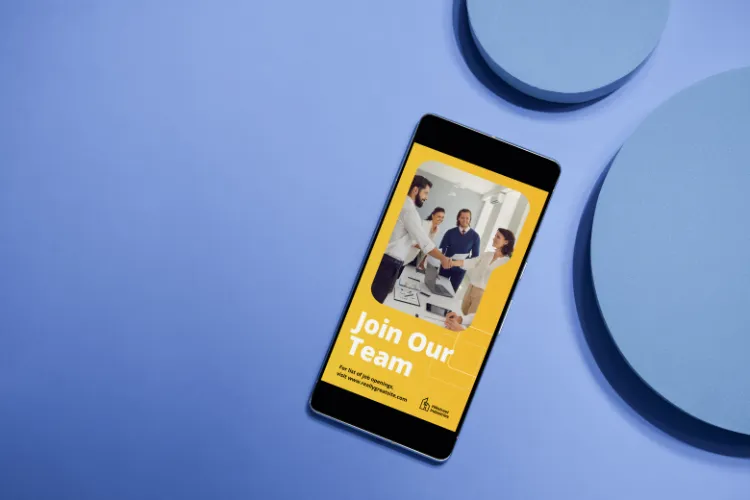
Mobile-First Meta Ads: Your Complete Guide to Optimization
Meta Ads were built for mobile — and for good reason. A staggering 98% of Meta’s users access the platform on their phones. Yet most advertisers still design campaigns on desktop first and treat mobile as an afterthought. If that sounds familiar, you’re leaving a massive amount of conversions on the table. This guide walks you through everything you need to know to build a truly mobile-first Meta Ads strategy.
Why Mobile-First Is No Longer Optional
Scrolling on a phone is a fundamentally different experience than browsing on a desktop. Users are moving fast, attention spans are short, and thumbs make the decisions. When your ads are designed for a 27-inch monitor and squeezed into a 6-inch screen, the result is poor creative, slow load times, and frustrated users who bounce before converting.
Mobile-first means designing every element of your campaign — creative, copy, targeting, and landing pages — with the phone screen as the primary canvas, not an afterthought.
1. Creative That Stops the Scroll
Go Vertical
The most important shift you can make is embracing vertical video and imagery. The 9:16 aspect ratio fills the entire screen on mobile, creating an immersive experience that horizontal content simply cannot match. When you use a 16:9 video in a Reels or Stories placement, you lose up to 78% of your screen real estate to black bars. That’s wasted attention.
Key creative specs for mobile:
- Stories & Reels: 9:16 (1080 x 1920px)
- Feed video/image: 4:5 (1080 x 1350px)
- Square (versatile across placements): 1:1 (1080 x 1080px)
Design for Sound-Off
The majority of mobile users scroll with their sound off. Your video needs to tell its story visually. Use captions, on-screen text, and bold visual storytelling. Motion and text overlays should carry the message even when the audio is completely muted.
Front-Load Your Hook
On mobile, you have roughly 1–3 seconds to capture attention before the user scrolls past. Open with your most compelling visual or boldest statement. Don’t build up to your point — lead with it. The hook is everything.
2. Copy That Converts on a Small Screen
Long paragraphs get ignored on mobile. Users skim, and your copy needs to work with that behavior, not against it.
Best practices for mobile ad copy:
- Primary text: Lead with your value proposition in the first line. Only the first 1–2 lines show before “See more,” so make them count.
- Headlines: Keep it under 27 characters so it doesn’t get truncated on smaller screens.
- CTAs: Be direct. “Shop Now,” “Get Yours Today,” “Claim Your Free Trial” — clear, action-oriented, and urgent.
- Emojis (when appropriate): A well-placed emoji can break up text and draw the eye, but use sparingly and only when it fits your brand voice.
Less is more. A punchy three-line ad often outperforms a lengthy explanation because it respects the user’s time.
3. Leverage Mobile-First Formats
Meta has invested heavily in formats built specifically for mobile consumption. Using them signals to the algorithm that you understand the platform — and it often rewards you with better delivery.
Reels
Reels are Meta’s fastest-growing placement and deliver exceptional reach, especially among younger audiences. Native-style, authentic creative performs best here. Think less “TV commercial” and more “content creator.” Keep Reels ads between 15–30 seconds for optimal completion rates.
Stories
Stories are ephemeral, full-screen, and demand immediate attention. They’re ideal for time-sensitive offers, flash sales, or behind-the-scenes content that creates urgency. Use interactive elements like polls, swipe-ups, or countdowns when available.
Carousel Ads
Carousel ads allow users to swipe through multiple images or videos — a natural, thumb-friendly interaction. Use carousels to showcase multiple products, tell a sequential story, or highlight different features of a single product.
Collection Ads
Collection ads combine a hero image or video with a product catalog displayed below it, creating an instant mobile shopping experience. When a user taps, they enter a full-screen Instant Experience without ever leaving Meta’s app — dramatically reducing friction and improving conversion rates.
4. Optimize Your Landing Page for Mobile
Getting a user to click your ad is only half the battle. If your landing page is a slow, desktop-oriented mess, you’ll lose them immediately. Here’s what matters most:
Speed Is Everything
A one-second delay in mobile load time can reduce conversions by up to 20%. Test your landing page speed using Google PageSpeed Insights and aim for a load time under 3 seconds. Quick wins include compressing images, enabling browser caching, and minimizing redirect chains.
Mobile-Responsive Design
Your landing page must look and function perfectly on any screen size. Use large, tappable buttons (minimum 44x44px), readable font sizes (at least 16px), and avoid pop-ups that are difficult to dismiss on mobile.
Reduce Friction
Every extra step between your ad and a conversion is an opportunity for the user to drop off. Use auto-fill forms, one-click purchasing where possible, and keep your checkout or sign-up flow to as few steps as necessary.
Keep the Message Consistent
Your landing page should mirror the messaging and visual tone of your ad. If your ad promises “30% off today only,” that message should be front and center on the landing page. Message mismatch is one of the top reasons for high bounce rates.
5. Targeting for Mobile Audiences
Mobile users behave differently depending on when and where they’re scrolling. Adjust your targeting to account for on-the-go behavior.
Time of Day
Mobile usage peaks in the morning (commute hours), lunch breaks, and evenings. Schedule your highest-budget campaigns around these windows, especially if you’re selling impulse-buy products.
Audience Segmentation
Build separate audience segments for mobile users and tailor your creative specifically for them. Use Meta’s placement breakdown in Ads Manager to analyze performance by device and double down on what’s working.
Retargeting
Mobile users often discover a product on their phone but convert later on desktop — or vice versa. Use cross-device retargeting to stay in front of users regardless of which device they’re on, and tailor the message based on where they are in the funnel.
6. Test, Measure, and Iterate
Mobile-first isn’t a one-time setup — it’s an ongoing process of testing and refinement.
Key metrics to track for mobile campaigns:
- Thumb-stop rate: What percentage of users pause on your ad?
- Video completion rate: Are users watching to the end?
- Mobile click-through rate (CTR): How compelling is your creative?
- Mobile conversion rate: Are your landing pages converting?
- Cost per result by placement: Where is your budget working hardest?
Use Meta’s Breakdown feature in Ads Manager to filter results by device and placement. This granular view will quickly reveal where your budget is performing — and where it’s being wasted.
Final Thoughts
Winning on Meta Ads in today’s landscape means thinking mobile at every single stage of your campaign — from the first frame of your video to the final step of your checkout. The brands that get this right will consistently outperform competitors who are still designing for the wrong screen.
Start with your creative format, tighten your copy, optimize your landing page, and let the data guide your iteration. The mobile-first advantage is available to every advertiser willing to commit to it.